6 - Lateral Motion
Tip
View the example project if you need more context for setup
In most autons, you don’t just want to spin the chassis in circles, you also want to move across the field. LemLib provides two PID based motions designed to do exactly this: moveToPoint and moveToPose. Both of these motions use both the angular and lateral PID controllers under the hood, meaning both will need to be tuned.
Move To Point
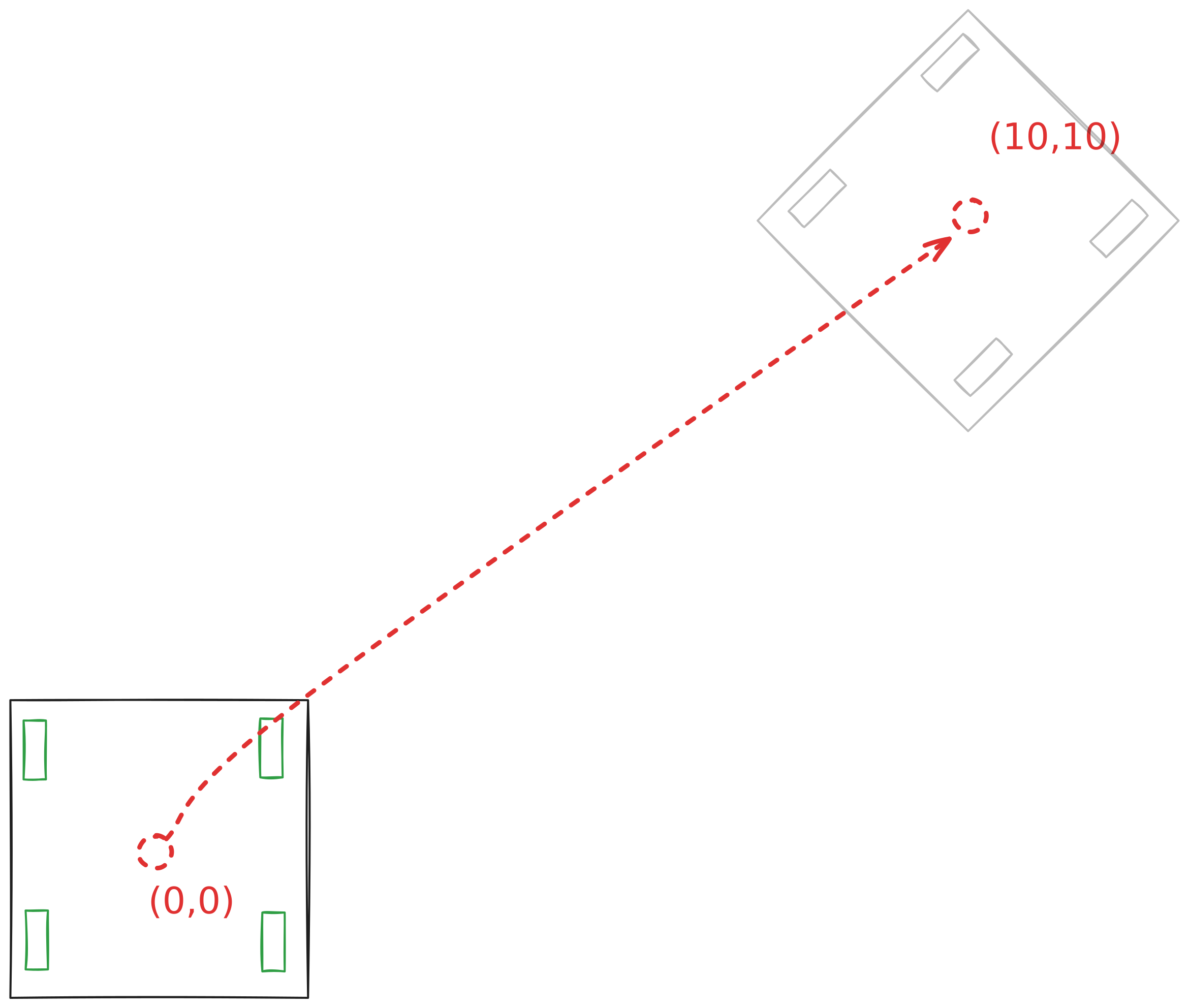
moveToPoint is the simplest and fastest method of getting to a point on the field. It moves the chassis to an absolute position in Cartesian coordinates (in inches). The motion will attempt to keep the chassis facing the target point at all times during the motion, and will end the motion facing it as well.
Here’s an example of how to use it:
chassis.moveToPoint(10, 10, 4000); // move the chassis to (10, 10)
                                   // with a timeout of 4000 ms
Here’s a visualization of how that movement would look:
Just like the other motions we’ve covered so far this motion takes optional params and async parameters.
Here’s an example of that:
// move the chassis to x = 20, y = 15 with a timeout of 4000ms
// but face the point with the back of the chassis
chassis.moveToPoint(20, 15, 4000, {.forwards = false}, true);
See also
moveToPoint and MoveToPointParams API references.
Move To Pose
Sometimes you need to be able to control what heading the chassis ends up at at the end move a lateral movement. LemLib provides you with a way to do this with the moveToPose motion. This motion uses a boomerang controller under the hood, with some added features.
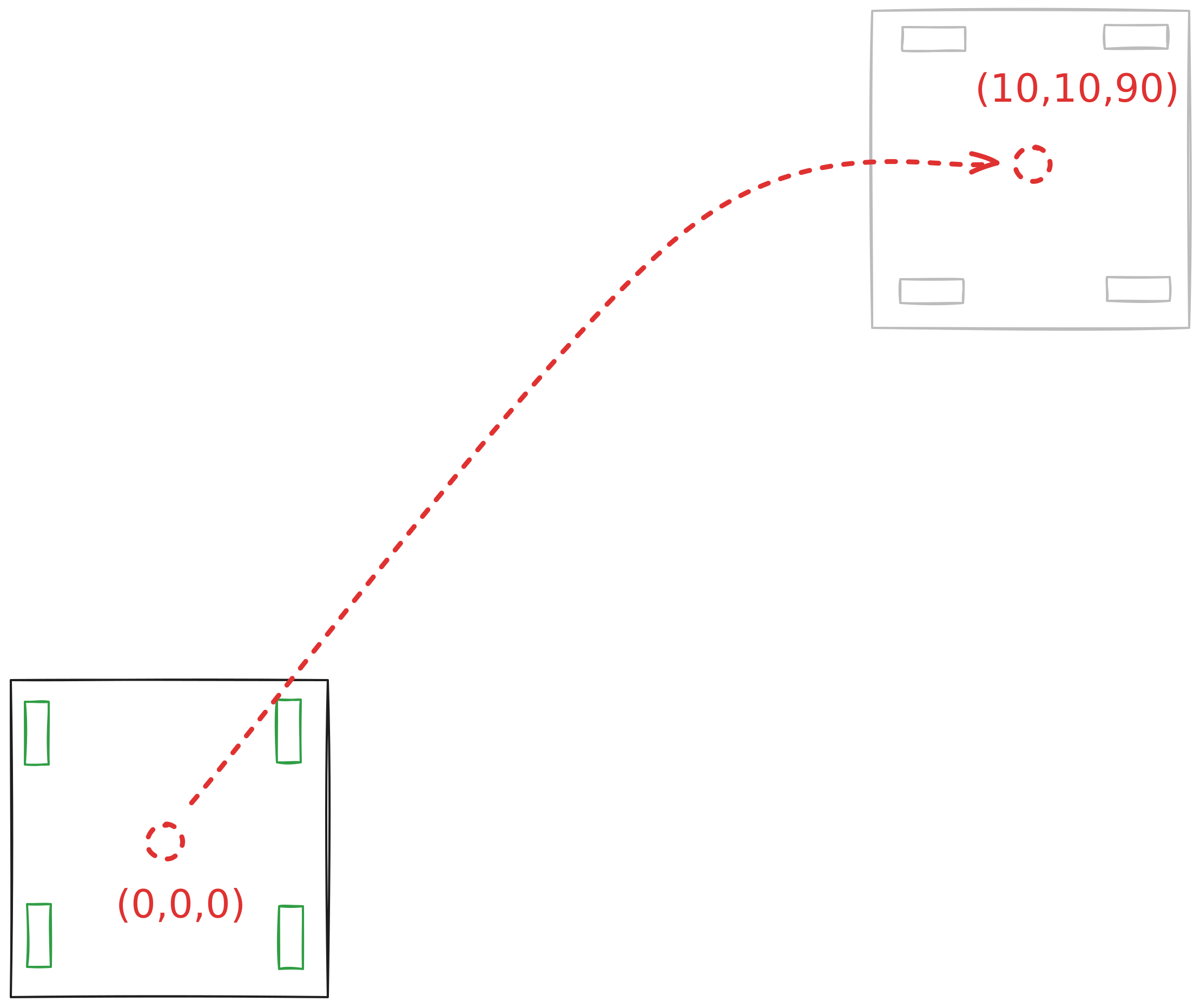
This motion works very similarly to the previous motion, except it attempts to move to a intermediate carrot point that changes position as the chassis gets closer. We highly recommend that you play around with the Desmos graph for a bit to see how it works.
Important
This motion tends to be a bit slower than the moveToPoint, so you should prefer moveToPoint where you do not need the extra accuracy.
Here’s an example of how to use this motion:
chassis.moveToPose(10, 10, 90, 4000); // move the chassis to (10, 10, 90)
                                      // with a timeout of 4000 ms
Here’s a diagram of what that motion looks like:
Like the other motions, moveToPose takes optional params and async arguments. However, MoveToPoseParams has a little more going on, so its worth discussing in a little more detail.
In particular, the lead and horizontalDrift members are specific to the boomerang algorithm.
lead scales how far away the carrot point is away from the target point. Increasing it will cause the chassis to make a wider turn, while decreasing it will cause the turn to be tighter.
horizontalDrift is a feature we added to the original boomerang controller that ensures compatibility with drivetrains with both all omni wheels (drift drive), or drivetrains with center traction wheels. It controls how fast the chassis can move while turning. If you have a drift drive, we recommend starting with a value of 2, while a drivetrain with center traction wheels should start with a value of 8.
Here’s an example of how they’d be used:
chassis.moveToPose(
    0, // x = 0
    0, // y = 0
    0, // theta = 0
    4000, // timeout of 4000ms
    {.lead = 0.3, .horizontalDrift = 8}
);
See also
moveToPose and MoveToPoseParams API references.