7 - Pure Pursuit
Tip
View the example project if you need more context for setup
Introduction
In this tutorial, we will be be using Pure Pursuit. Pure Pursuit is a path following algorithm that allows the robot to follow a path quickly.
What is Pure Pursuit?
Pure Pursuit is a path following algorithm that allows the robot to follow a path quickly. It works by drawing an imaginary circle around the robot, and then finding the intersection of the circle and the path. The robot will then drive towards the intersection. This is shown in the GIF below:
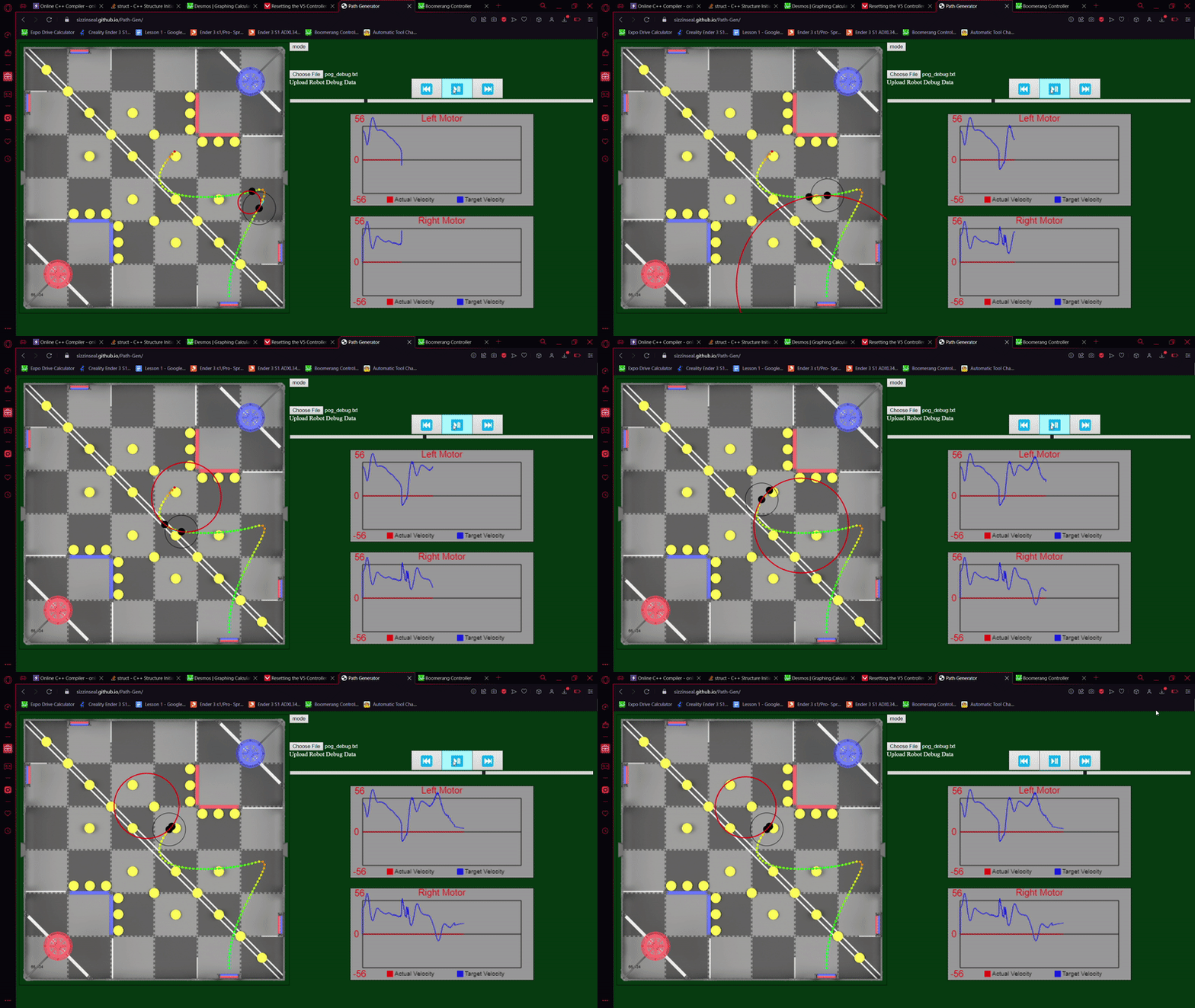
Tuning Pure Pursuit is very simple. If you want the robot to follow the path more closely, decrease the lookahead distance. If you want the robot to follow the path more loosely, but faster, then increase the lookahead distance. A good starting point is 10-15 inches, but this will vary depending on each motion.
Creating Paths
You can use path.jerryio.com to generate paths for the autonomous.
Using the Path Generator is simple:
Select the LemLib format (top right).
Left click drag to move existing waypoints (big purple circles).
Left click to add a waypoint.
Right click to remove a waypoint.
Another feature of the path.jerryio is the ability to make the robot go faster or slower at certain points. The planner will automatically slow down the robot around sharp corners and decelerate as it approaches the end of the path. You can view the velocity of the path at each waypoint on the speed graph at the bottom of the page. See the video below:

For further information on the path.jerryio, check out its user guide.
Files
Path.jerryio saves paths as .txt files. You can upload this file to your robot, and reupload it again to path.jerryio for further modification later on.
To upload the path, all you need to do is save the .txt file to the static folder in your project. To do this, click Ctrl + S on Windows, or ⌘ + S on Mac, then browse to the static folder and select it. Now if you hit save, it will automatically save to the file in your static folder.
Almost there! Now we just need to tell the robot to follow the path. We can do this through the lemlib::Chassis::follow function. Below is an example of how to use it:
// path file name is "example.txt".
// "." is replaced with "_" to overcome c++ limitations
ASSET(example_txt);
ASSET(example2_txt)

void autonomous() {
    // set chassis pose
    chassis.setPose(0, 0, 0);
    // lookahead distance: 15 inches
    // timeout: 2000 ms
    chassis.follow(example_txt, 15, 2000);
    // follow the next path, but with the robot going backwards
    chassis.follow(example2_txt, 15, 2000, false);
}
In the above example, the robot reads the path in “example.txt”, has a timeout of 2000 milliseconds, and a lookahead distance of 15 inches. After it finishes following the path, it will read the path in “example2.txt” and follow it. The robot will be going backwards this time, so the last parameter is set to false.
Attention
The position of the robot when it starts following the path is critical. It does not need to be very close, but it is easy to accidentally make the robot start at the end of the path than at the start of the path. You can identify the end of the path with the checkered flag at the end of the path. If you do make this mistake, it will seem that the robot is barely moving, not moving where its supposed to, or even not moving at all.