8 - Motion Chaining
Tip
View the example project if you need more context for setup
Introduction
We use motion chaining when we have a path that cannot be described with one single motion. For example, imagine we want to go around an obstacle like so:
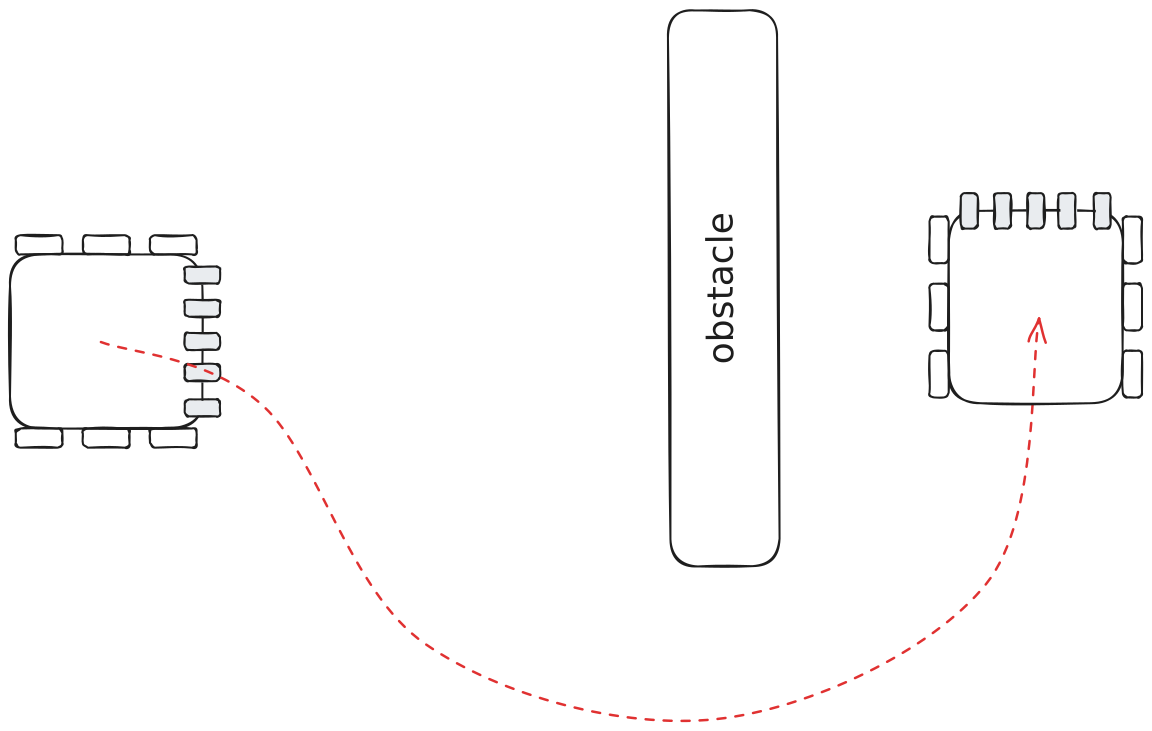
One might think to use pure pursuit for this path, and thats a great choice! But sometimes pure pursuit isn’t the best option. Often times creating a path via a gui and tuning it takes a lot of time. Consider you have a match in 5 minutes and you need to make a quick change to the path. What might you do then?
Perhaps you thought to use two Chassis::moveToPose motions like this:
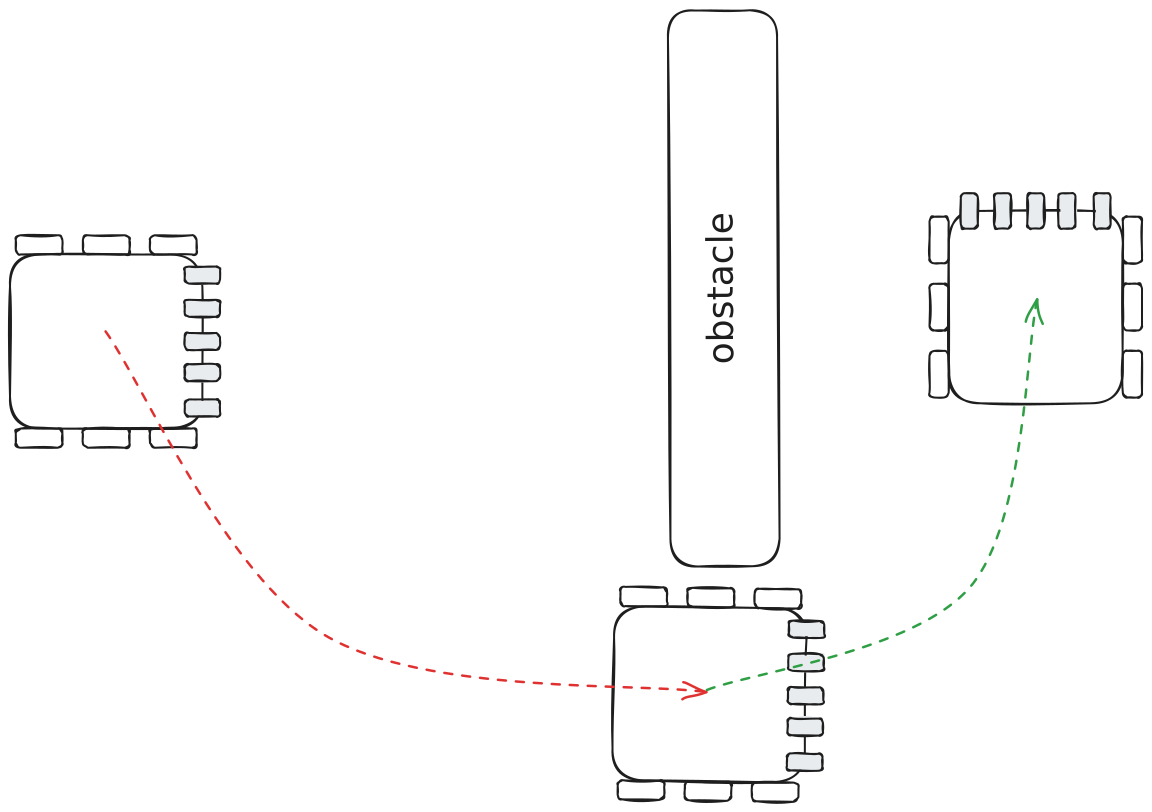
Now that will work with quite less programming time, but it will also take much more time in the match due to its stop at the midpoint. So to speed this up, we can just not stop!
What is motion chaining?
Motion chaining is the chaining of multiple motions together such that there is not a distinct pause in between them. This is useful for defining paths without pure pursuit or whenever you prefer speed over accuracy.
Minimum Speed
To ensure the robot doesn’t slow down, we will specify a minimum speed that the robot can go at. This minSpeed overrides everything (slew, PID, maxSlipSpeed), but it does not override maxSpeed. It also doesn’t override turning in 2d motions. This means that if minSpeed=127, then the robot will still be able to turn towards its target, but even so, it will not be very accurate.
Tip
During a 2d motion a ratio will be applied to ensure that the left power to right power ratio is maintained even if they are above maxSpeed.
Exiting
But wait, if we are always moving above a certain speed, then we’ll never be able to slow down to settle. If we can never settle, then the motion will just run until the timeout runs out. Thats where the earlyExitRange param and Chassis::cancelMotion() comes in.
Early Exit Range
Once the error is below earlyExitRange, the motion will automatically exit and move on. For angular motions, this param is measured in degrees, but for move to point and pose, this is measured in inches.
Motion Cancellation
Chassis::cancelMotion() and Chassis::cancelAllMotions() allow you, the user, to cancel a motion whenever. This is useful for defining your own custom exit condition, such as exiting once a ball has been intaked:
void intakeBall() {
    chassis.setPose(0, 0, 0);
    lemlib::Pose intakeBallTarget(0, 24);

    // spin intake
    intake();
    // move towards ball
    chassis.moveToPoint(intakeBallTarget.x, intakeBallTarget.y, 1500, {.minSpeed=48});

    // Wait until a ball has been intaked.
    // Or until the motion has stopped after which, the state of
    // the intake is very unlikely to change and we'd be wasting time
    while (chassis.isInMotion() && !isBallInIntake()) {
        pros::delay(10); // don't consume all the cpu's resources
    }

    // Cancel and move on to the next motion since the purpose of the first is complete.
    // If the motion had exited before a ball was detected, then this will do nothing.
    chassis.cancelMotion();
}
Example
Introduction Example
Let’s revisit the example from the introduction, to see how you might actually implement it.
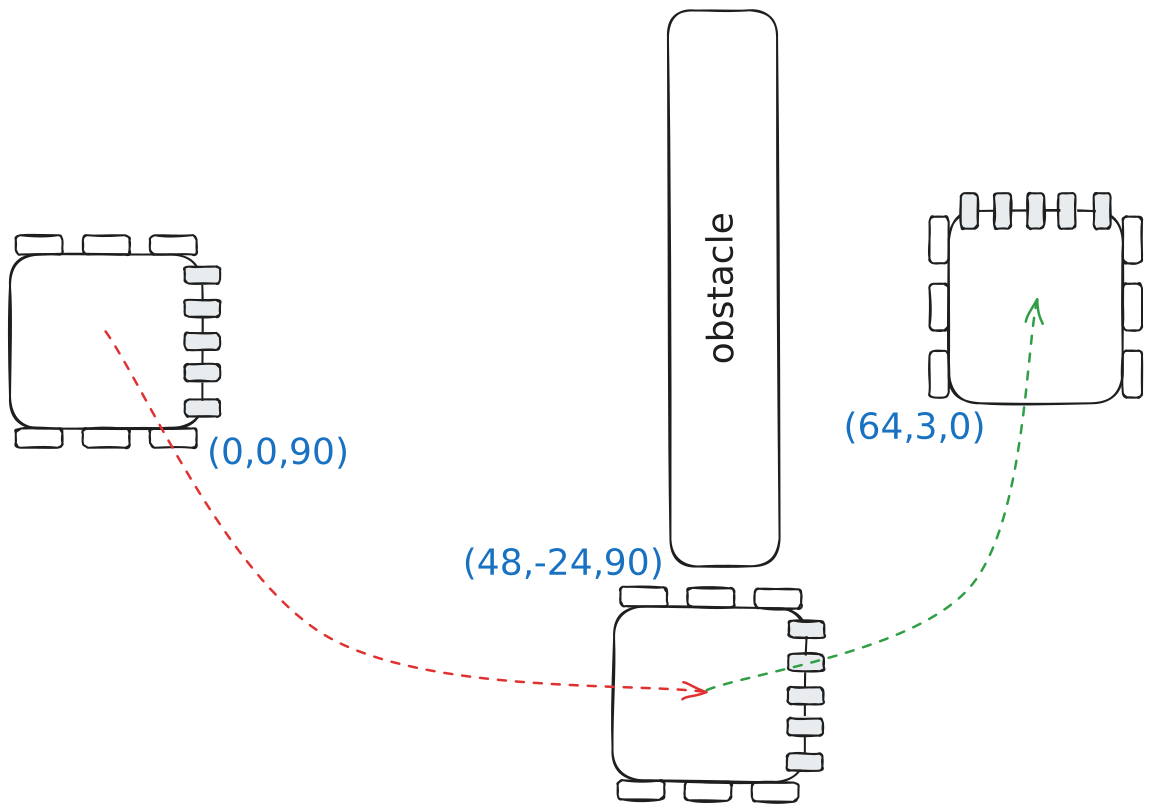
Here’s how you’d implement this movement in code:
void goAroundObstacle() {
    chassis.setPose(0, 0, 90);

    // go around obstacle to prevent hitting it
    chassis.moveToPose(
        48,
        -24,
        90,
        2000,
        {.minSpeed=72, .earlyExitRange=8}
        // a minSpeed of 72 means that the chassis will slow down as
        // it approaches the target point, but it won't come to a full stop

        // an earlyExitRange of 8 means the movement will exit 8" away from
        // the target point
    );

    // go to target position
    chassis.moveToPose(64, 3, 0, 2000);
}
Turning Example
Sometimes you might want to make a turn at the beginning of a movement to create a better path for a moveToPose.
This is especially important if the next motion has a high minSpeed, because it will cause the motion to not wait until it is facing the target, and rather immediately start going forward.
Here’s a drawing of a possible use case:
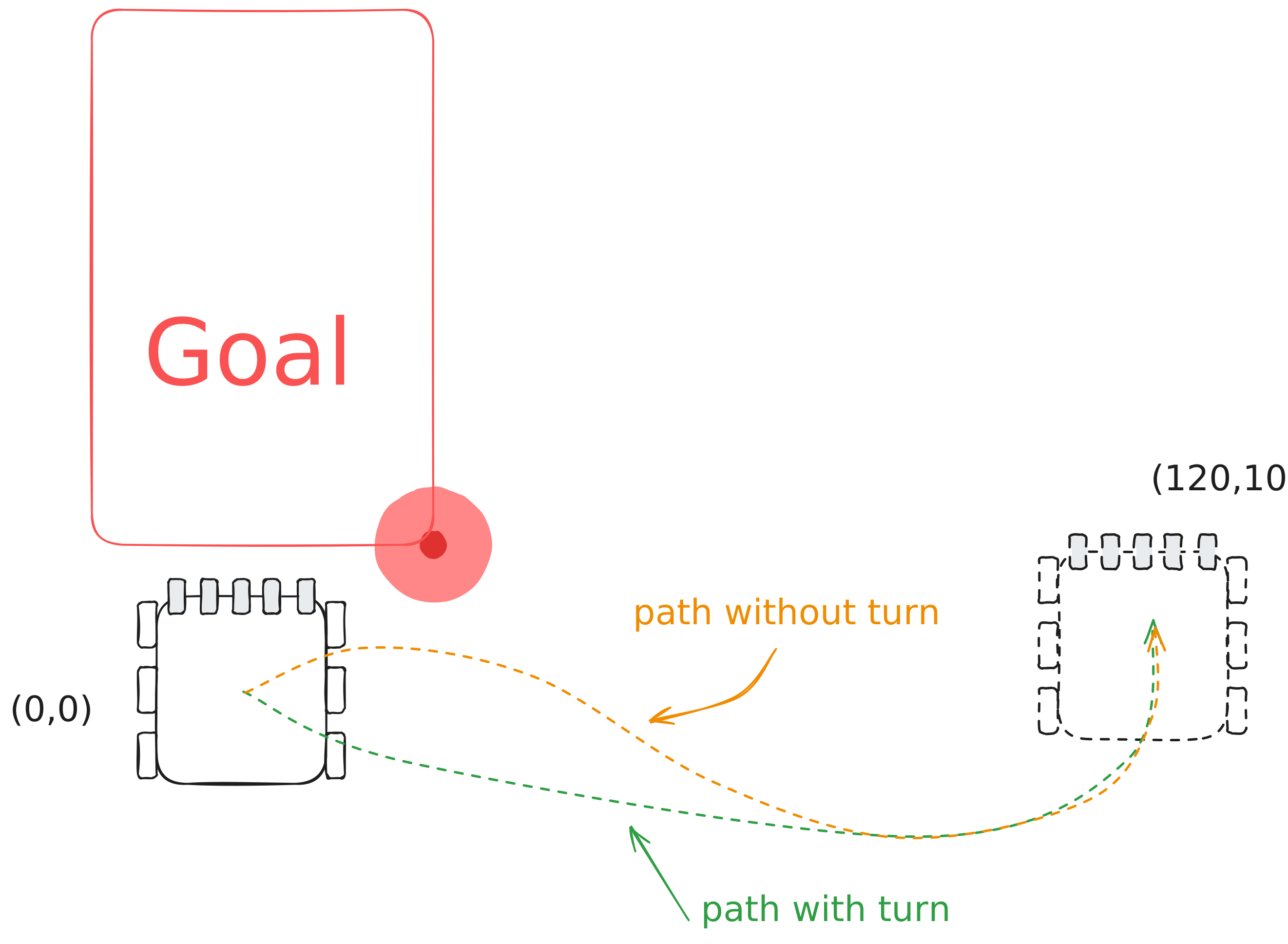
And here’s how you would implement that movement:
// turn the chassis to 90 degrees, so it faces away from the goal
chassis.swingToHeading(
    90,
    500,
    {.minSpeed = 127, .earlyExitRange = 20}
    // minSpeed 127 means the chassis will move as fast
    // as possible to make this turn
    // the earlyExitRange of 20 means that the chassis
    // will exit once it gets within 20 degrees of the
    // target angle
);

// at this point in the movement that chassis is moving at a speed of 127 and is facing away from the goal,
// towards the target point

// now we can move the chassis to the desired point
chassis.moveToPose(120, 10, 0, 1000);